
Nikon D600 Experience – The Still Photography Guide to Operation and Image Creation With the Nikon D600 is an e book user’s guide that goes beyond the manual to help you learn the features, settings, and controls of this sophisticated and highly customizable camera. Most importantly, it explains not only how but also when and why to use the camera’s basic and advanced features, settings, and controls in your photography.
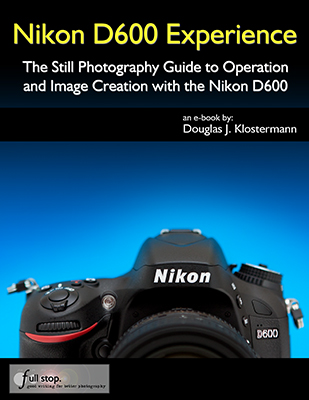
Written in the clear, concise, and comprehensive manner of all Full Stop dSLR camera guides, Nikon D600 Experience will help you learn to use your D600 quickly and competently, to consistently create the types of images you want to capture. As one reader has said about Full Stop guides:
“I don’t know how I could fully take advantage of all the features the camera has to offer without this publication! It’s well-organized, easy to understand, and succinct enough to keep your attention while still containing a wealth of information to get the most out of your camera.”
For dSLR users from Experienced to Enthusiast:
For experienced photographers coming to the D600 from the D90, D7000, D5100, etc., this guide explains the new and advanced features in order to quickly get you up and running and taking advantage of these capabilities, including the sophisticated 39 Point Autofocus System and all its AF Modes, AF Area Modes, and Custom Settings. Plus it explains the camera controls, the in-camera HDR, Multiple Exposure, and Time Lapse features, introduces the video capabilities, and guides you through all the Playback, Shooting, and Setup Menus, Custom Settings, and Movie Mode Menu settings of the D600 in order to help you best set up the camera and its controls for your specific shooting needs.
For intermediate and enthusiast photographers this instant download Nikon D600 e book will help you learn to take fuller advantage of the capabilities of your camera:
- Go beyond Auto and Program modes and shoot competently in A, S, and M shooting modes.
- Take full advantage of the sophisticated 39 point autofocus system.
- Learn how, when, and why to use and customize the various controls, buttons, and features of the D600.
To get you started, it includes explanations and recommended settings for all Menu options and Custom Settings of the D600. It covers basic dSLR camera functions and exposure concepts for those learning digital SLR photography, and explains more advanced camera controls and operation, such as taking control of the powerful autofocus system for sharp focus of still or moving subjects, using the various metering modes and exposure compensation for correct exposure of every image, and taking advantage of other features of the D600 such as in-camera HDR and Multiple Exposure Mode.



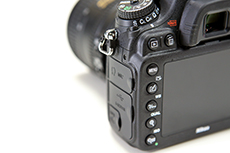
Example images from the text of Nikon D600 Experience
You can preview Nikon D600 Experience at the Full Stop webpage:
Nikon D600 Experience not only covers the various settings, functions and controls of the Nikon D600, but it also explains when and why to use them for your photography. The guide focuses on still-photography with an introduction to the movie menus and settings to get you up and running with video. Sections include:
- Setting Up Your D600 – All of the D600 Custom Settings and Playback, Shooting, and Setup Menus, including Movie Mode Menus, with explanations and recommended settings for practical, everyday use. Set up and customize the advanced features of your dSLR to work best for the way you photograph.
- Aperture Priority (A), Shutter Priority (S), and Manual (M) Modes – How and when to use them to create dramatic depth of field, freeze or express motion, or take total control over exposure settings.
- Auto Focusing Modes and Area Modes and Release (Drive) Modes – The 39 point D600 autofocus system is a is a powerful tool, and taking control of it will enable you to successfully capture more sharp images, especially in action situations. Learn the AF Modes, AF Area Modes, and AF Custom Settings, how they differ, how and when to take advantage of them to capture both still and moving subjects. Plus how and when to use focus lock.
- Exposure Metering Modes of the Nikon D600 – How they differ, how and when to use them for correct exposures in every situation, and how to customize them for your needs. Also how to make use of exposure lock.
- Histograms, Exposure Compensation, Bracketing, and White Balance – Understanding and using these features for adjusting to the proper exposure in challenging lighting situations, and setting custom white balance.
- Composition – Brief tips, techniques, and explanations, including the creative use of depth of field.
- The Image Taking Process – Descriptive tutorials for using the settings and controls you just learned to take photos of both still and moving subjects.
- Photography Accessories – The most useful accessories for day-to-day and travel photography including accessories specific to the D600.
- Introduction to Video Settings – Settings and explanations to get you started.
This digital guide to the Nikon D600 is an illustrated e-book that goes beyond the D600 manual to explain how, when, and why to use the features, settings, and controls of the D600 to help you get out there shooting in the real world. It is available in instant download PDF and EPUB formats.
Title: Nikon D600 Experience
Author: Douglas Klostermann
Page Count: 217, illustrated
ISBN #: 978-1-3017-2999-9
Price: $14.99
What Readers are Saying about Doug’s previous guide Nikon D7000 Experience:
This book, together with the manual that came with your camera, is all you need to start discovering the full potential of the D7000.
-Max M.
It’s the first guide I’ve read which has taken me through all the settings in an understandable way. I now feel that I have control over the camera.
-Peter S.
Really practical and tremendously helpful. Readers of this e-book can expect to benefit from a more rewarding photographic experience using this superb camera, and be better able to exploit its potential to match their personal objectives and photographic style. Highly recommended.
-M.M.
I would recommend this to anyone who wants to get a quick start to using the D7000. Manuals are nice, but this eBook highlights the important information and gives a quick easy to understand explanation of most all of the functions and controls.
-Ray M.
I found the Nikon manual good for understanding how to set things up but not much on the why – this book really focuses on the WHY. The guide helped me understand why to use specific settings for specific needs. The Custom Settings sections helps to make firm decisions on how to apply settings by understanding the usage of each in addition to knowing how to set them up.
-Benoit A.
This manual is a clearly written, concise and useful explanation of the rationale for the seemingly infinite and often confusing settings options for the D7000. Used in conjunction with the Nikon manual I feel a bit more confident in understanding how to at last proceed in getting better photographs.
-W.L.S.
It’s clear, concise and gets to the heart of the camera’s multiple and often confusing options. Very highly recommended – for experienced user and beginner alike. As previous reviewers have remarked, the official manual is very good on what to do, but not so clear on why.
-G.S.A.
A well written, professional helpful guide – Brilliant, just what I was looking for! A manual for the D7000 that was exciting, clear to follow, had examples and was used by a professional who gave just the right amount of technical with explanations of why you use those settings, when to use those settings and so on, all properly explained. The book is a revelation, a joy to follow, well thought through and well written. Nikon should be employing Doug to write every one of their cameras manuals.
-R.D.C.