A Response to Ken Rockwell’s Review of the Canon 5D Mark III

I just came across a certain review of the new Canon 5D Mark III and am compelled to respond.  It is one thing to write a critical review, but a whole other thing to list various perceived shortcomings and deficiencies that simply don’t actually exist in the camera.  After having spent several intimate weeks with the 5D Mk III (as I wrote the Canon 5D Mark III Experience camera guide), it is disappointing to then read about alleged issues and faults which actually don’t exist but were merely assumed by a reviewer because effort wasn’t put into reading the manual and properly learning the camera.
Canon 5D Mark III mk 3 eos manual book ebook instruction how to guide dummies
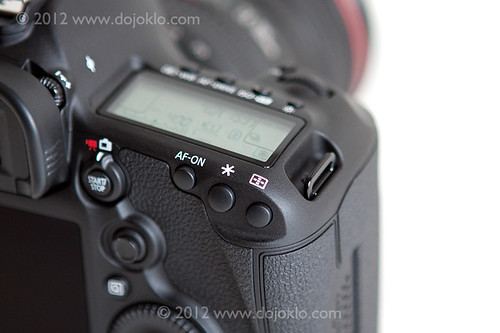
Detail of the Canon 5D Mark III by dojoklo

I have put together a list of some of my responses.  KR quotes are in italics and blue, and my replies below them.

Slower Autofocus – With so much more to set, learn and get in the way, the new AF system will slow you down until you master it.  The 5D Mark III’s AF system is that is about ten times more complicated than earlier cameras. Now it will take you forever to learn how to use it, and if you do, you’ll discover that the Auto AF Area Select mode takes much longer to select which of the 61 points it feels like using, while the original 5D and the 5D Mark II instantly selected among their 9 points..

Yes, the sophisticated and highly customizable autofocus system of this professional camera needs to be fully learned and understood in order to take full advantage of it and to gain proficiency at using it.  But the AF system and menus are designed to be powerful yet easy to get the most from, and this proves to be true once the user puts some effort into learning and setting it up.  Then you will find that there are numerous solutions to quickly accessing it, changing it, and making full use of the Canon 5D Mk 3 autofocus system, including:

  • Limiting the number of selectable AF points in the AF4 menu to just 15, 9, or 41 cross-type (while all of the 61 AF Points will still be available for use by the camera to find, track, and capture subjects).
  • Setting up all the AF menu and Custom Function items initially to best suit your style of shooting and then not dealing with them anymore.
  • Or better yet, tweaking any of the Autofocus Case presets to your liking, then quickly choosing among the Cases based on your shooting situation.
  • Setting up your favorite combination of AF settings, modes, tracking settings, etc, which can then all be registered and called up with the press of the DOF button.
  • Adding any of the AF menu items to My Menu, setting My Menu to come up with one button push, then quickly accessing the AF menu items you need to change.

A different response to the Canon 5D Mk III autofocus system would be to marvel at the incredible, never-before-possible opportunities to customize and use a state-of-the-art AF system to track, retain focus, and capture shots that could not have previously been captured, through pre-setting the camera to be aware of the rates of speed and amount of erratic movement to expect from the subject, as well as take into account the user’s desire to either retain focus on a subject/ distance or to quickly be able to change to another subject/ distance.  Not to mention the various configurations of AF points and Zones which can be chosen to most accurately focus on and track a variety of subjects and situations.

AF is much more complicated, not necessary better than the original 5D and 5D Mark II.

Anyone who has used the 5D and 5DII autofocus system for more than 6 minutes and then used the 5DIII AF system will tell you that:

1. there were some major shortcomings with the 5D and 5DII autofocus, particularly in lower light, and

2. the AF speed, accuracy, and low light focusing abilities of the 5DIII are on a whole new performance level than those previous models.

It’s not any different from other AF cameras as far as low-light is concerned.

As indicated above, I found quite the opposite to be the case as, for example, I quickly and easily grabbed focus on a black furry face in incredibly dim lighting, which could never have been accomplished so easily with the 5D II or 50D:

Canon 5D Mark III mk 3 low light high iso 25600
Canon 5D Mark III – 25,600 ISO, JPEG straight from camera.  25,600 ISO plus 1/640 plus f/1.4 will help indicate the light level.

The finder’s AF display is inferior. Instead of discrete LEDs that only blinked as needed, the Mark III’s new screen uses solid black LCD boxes that get in the way of seeing your subject’s subtleties — like when they smile.

The big, bright, glorious viewfinder of the 5D3 offers several options for how and when to display and/ or illuminate the AF points as they are seen in the viewfinder, including different options to have them visible and/ or blink just when used or needed, as listed below.  See the AF5 Menu, AF Point Display During Focus item as well as other menu items to set up exactly how and when they illuminate such as VF Display Illumination.

Selected (constant) – The selected AF Point (or points) is always visible, but not all of the other 61 AF Points.

All (constant) – All of the 61 AF Points are always visible.  Recommended:  this will make it easier to always know where the other points are for when you quickly need to select a different point.  These AF Points are typically too important to hide!

Selected (pre-AF, Focused) – The selected AF Point(s) is visible when the camera is ready to shoot even before you have started any AF operations, when you are selecting an AF Point or zone, and when focused is achieved by the camera (except when working in AI Servo AF mode).

Selected (focused) – The selected AF Point(s) is visible only when you are selecting an AF Point or zone, and when focus is achieved (except when working in AI Servo AF mode).

Disable display – The selected AF point(s) will only be displayed when selecting an AF Point or zone.

Plus you can turn the grid display off or on.  I myself find seeing all the AF points as well as the grid indispensable to taking full advantage of the AF system while keeping my framing straight and level.

The AF points are now poorly lit. An LED lights up the entire screen and sort of helps you see the dark LCD AF point boxes in the dark. The older cameras were much better.

Again, I did not find this to be the case, and had no problem making use of the AF points in the dark as I took these images.  In fact I rather enjoyed using the AF system in the dark as I shot these images, and marveled at how pleasant it made night shooting.  However, other 5D3 users have shared KR’s complaint regarding the black AF Points in dark situations, and it sounds like Canon is going to address this with a future firmware update.

Canon 5D Mark III mk 3 multiple exposure low light high iso
Canon 5D Mark III – In-Camera Multiple Exposure feature

Canon 5D Mark III mk 3 in camera HDR shooting mode low light
Canon 5D Mark III – In-camera HDR Shooting Mode – Art Embossed setting, +/-3 EV

No Highlight AND Shadow optimization – While all Nikons and the 5D Mark II can optimize both highlights and shadows at the same time, the 5D Mark III no longer can do this.

Auto Lighting Optimizer is designed to automatically adjust contrast and brightness and helps to maintain detail in both the shadow and highlight areas.  The new HDR shooting mode, when set to Natural, can also capture a wider range of shadows to highlights.  ALO and Highlight Tone Priority were never designed to be used simultaneously.

A huge defect in the 5D Mark III’s AF system is that no longer can I switch among the AF modes I use with one click, without stopping or taking my eye from my subject.

The DOF Button can be set to instantly switch between One-Shot and AI-Servo AF Modes on the 5D Mk III.  I’m not sure how one did this “one-click switch” with the Mk II in a way that can’t also be done with the Mk III.

No Zoomed-in Histogram – When you zoom, the histogram goes away.

With the new side-by-side Comparative Playback, you can view the entire image with histogram on one side of the screen, and a zoomed in detail from that image in the other window.

Not to mention that the incredibly versatile side-by-side image playback feature offers numerous other review and comparison opportunities never before available.

Impossible-to-set custom manual white balances – It still takes about ten steps to set a custom manual white balance.

Add Custom White Balance to My Menu and access it much faster.  Then take your WB photo, access Custom WB through My Menu, select that photo you just took, and set the camera WB setting to Custom with the quick press of a button and turn of a dial.  I count 4 steps to access an advanced feature that very few photographers employ on a regular basis.  Not really that hard.

No Custom White Balance Memories

True, but you could register the custom WB as part of one of the C1, C2, or C3 Custom Shooting Modes.

The Ratings button is a waste of a button, unless you really like to edit in-camera.

That may be true if you find you don’t use it.  I have unexpectedly grown fond of the Rating feature, and use it to save much time later when back at my computer.  In addition, the 5D Mk III offers an incredible amount of options for customizing the buttons and controls of the camera, as demonstrated by the grid of choices on pages 322-323 of the manual, plus several additional options discussed with the functions they control.

As I’m learning to use the AF system, I’ve realized that it will never make sense because the AF-Area settings were removed from the Quick Control screen. Now we always will have to look in two different places to set the AF Mode (AI SERVO, AI FOCUS or ONE SHOT), and someplace else to select the manner in which the various AF areas are used.

If you first press the INFO Button and access the Shooting Settings screen and then press any of the three setting-selection buttons on the top of camera (including AF Mode), you can view and change their settings on the rear LCD Monitor, also using either the Main Dial or the Quick Control Dial as you would when changing the function while viewing the top LCD Panel.  In other words, an amazingly awesome and handy Quick Control Screen specifically for each of the top button’s paired functions.  This will also work with the AF Point Selection Button after pressing the INFO Button and accessing the Shooting Settings screen, and then you can view and select an AF Area Selection Mode on its very own Quick Control Screen.  BUT, the reason that the 5D Mark III has buttons that the T3i does not have is so that a knowledgeable user can quickly and easily access these functions on the fly (such as AF Mode and AF Area Mode) without using a Quick Control Screen.  Sigh.

To learn much more about how to use and take advantage of all of the features, controls, and capabilities of the Canon 5D Mark III, have a look at my guide Canon 5D Mark III Experience.

Canon 5D Mark III Experience – The Still Photography Guide to Operation and Image Creation is an e-book user’s guide that goes beyond the manual to help you learn the features, settings, and controls of this sophisticated, powerful, and highly customizable camera.  Most importantly, it explains not only how but also when and why to use the features, settings, and controls in your photography.
Canon 5D Mark III mk 3 manual guide book dummies how to beginner intermediate advanceWritten in the clear, concise, and comprehensive manner of all Full Stop guides, Canon 5D Mark III Experience will help you learn to use your EOS 5D Mk III quickly and competently, to consistently create the types of images you want to capture.

As one Canon user has said about Full Stop guides:
“I don’t know how I could fully take advantage of all the features the camera has to offer without this publication!  It’s well-organized, easy to understand, and succinct enough to keep your attention while still containing a wealth of information to get the most out of your camera.”

Take control of your Canon 5D Mk III, and the images you create!
Take Control of your Canon 5D Mark III with my e-book guide!

I have completed my e-book guide for the new Canon EOS 5D Mark III, called Canon 5D Mark III Experience.  This Still Photography Guide to the EOS 5D Mark III goes beyond the EOS 5D Mk III manual to help you learn when and why to use the various controls, features, and custom settings of this powerful camera, including the advanced and sophisticated 61 point autofocus system, the numerous Menu and Custom Function options, and the new controls and features.  Written in the clear and concise manner of all Full Stop guides, Canon 5D Mark III Experience can help you learn to use your Canon 5DIII quickly and competently, to consistently create the types of images you want to capture.

Take control of your Canon 5D Mk III and the images you create!
Canon EOS 5D Mark III Mk 3 111 manual guide how to dummies instruction autofoucs meter mode experience

As one Canon user has said about on of my previous guides:

I don’t know how I could fully take advantage of all the features the camera has to offer without this publication! It’s well-organized, easy to understand, and succinct enough to keep your attention while still containing a wealth of information to get the most out of your camera.”

This book is now available!  To learn more about it, please click on the cover or the link below to have a look at my Full Stop e-book website:

http://www.dojoklo.com/Full_Stop/Canon_5DMkIII_Experience.htm


What Readers Had to Say about Doug’s Previous dSLR Camera Guides:

Brilliant – just what I was looking for! A manual that was exciting, clear to follow, had examples and was used by a professional who gave just the right amount of technical info with explanations of why you use those settings, when to use those settings and so on…all properly explained. Doug’s book is a joy to follow, well thought through and well written. The camera company should be employing Doug to write their cameras manuals!
-Robert D.

A Must-Have Accessory – What a great addition to my bag. This is a well written, full body of work that explains, in plain English, how to get the most out my new camera. Doug provides the knowledge and experience to bring you to the next level. I look forward to learning more every time I open the book.
-Steven

Definitely reduces the slope of the learning curve to an easy gradient – I found that it was easy to read and understand, full of important hints and suggestions and allowed me to get to grips with the tools available in the camera in a very short time indeed. Excellent value!
-O.B.

It’s the first guide I’ve read which has taken me through all the settings in an understandable way. I now feel that I have control over the camera.
-Peter S.

How to Use Your New dSLR

I know many people happily unwrapped a new dSLR this holiday.  And now after playing with it for a bit, you may be discovering that there is a bit of a learning curve to learning all the features and functions of your camera.  So if your are eager to learn how to use your new T3i, D5100, 60D, D7000, or whichever Canon or Nikon dSLR you received, be sure to have a look around my blog at the various articles discussing how to use your autofocus system, metering system, and other functions, plus photography techniques once you have started to get a hang of the controls.

Have a look at the front page of this blog to see these different categories and find the articles about Canons, Nikons, Photography Techniques, Lenses, Accessories, Books, and more.

And to quickly learn the ins and outs of your camera, also be sure to have a look at my e-book camera guides, which will not only teach you the functions and controls of your dSLR, but when and why to use them.

full stop dslr photo photography camera manual guide for dummies canon nikon

Happy shooting, and let me know if you have any questions.

Nikon Manual Viewer App

I just learned over on the Nikon Rumors website that there is an app for downloading and viewing your Nikon camera manual on your iPad or iPhone.  The app, called Nikon Manual Viewer, can be downloaded for free.  Once you have downloaded the manual, you can then view it offline at anytime.  It does not appear that Canon has a similar app yet.

Nikon Manual Viewer app ipad iphone guide book tutorial instruction

Be sure to also consider my dSLR camera guides, which can also be downloaded and carried with you on your iPad or computer, including Nikon D7000 Experience and Nikon D5100 Experience.  These guides go beyond the manuals to help you learn not only how, but more importantly when and why to use the features and functions of these versatile cameras.


Two Hot New Releases!

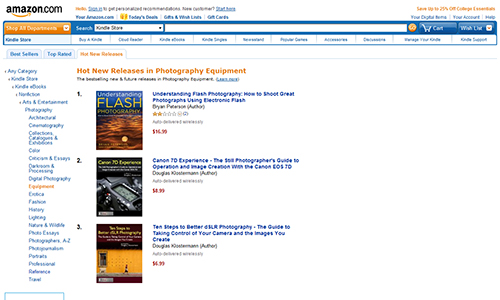
My two latest photography e-book guides, Canon 7D Experience and Ten Steps to Better dSLR Photography are both “Hot New Releases” in the Amazon Kindle Photography Equipment category!

book photography dslr learn guide manual digital slr camera for dummies

Of course, I’m always second fiddle to Bryan Peterson…

Each of these guides can help you to learn more about the functions, settings, and features of your camera and assist you in improving your photography.

Take control of your camera and the images you create!
Please visit my Full Stop e-book site to learn more about my guides, preview them, and purchase them.

New E-Book Camera Guide for the Canon 7D

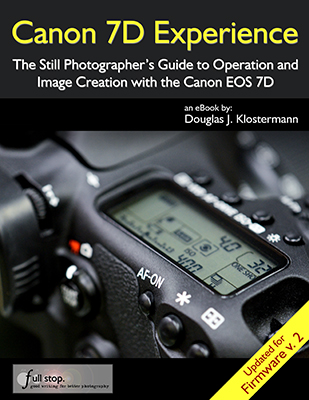
I have completed an e-book camera user’s guide for the Canon EOS 7D called Canon 7D Experience.

Like all my previous Full Stop camera guides, Canon 7D Experience explains not only the features, functions, settings, and controls of the camera, but also – and more importantly – when and why to use them in your photography.  This includes metering modes, aperture and shutter priority modes (Av and Tv), advanced autofocus use, and more.  It also describes all the Menu settings and Custom Function settings – with recommended settings.  The guide also thoroughly explains the versatile and sophisticated autofocus system, which helps to make this such a unique and powerful camera.

Take control of your camera and the images you create!

Click on the cover image below or click here to learn more, preview, and purchase Canon 7D Experience.

Canon 7D EOS firmware 2 v 2.0 book ebook e-book manual how to instruction learn tutorial use tips tricks for dummies

The E-Book Handbook – Now Available!

My latest e-book, The E-Book Handbook, is now available!

The E-Book Handbook – A Thoroughly Practical Guide to Formatting, Publishing, Marketing, and Selling Your E-Book is a comprehensive guide that will help you create, publish, and market your own e-book, and sell it online through Amazon, Barnes and Noble, and Apple iTunes and iBooks – all easily and inexpensively.

The E-Book Handbook e book ebook how to create format publish market sell Amazon Kindle Nook iPad for dummies

It explains how to properly format and convert your text for PDF, tablet, and e-reader versions (such as the Kindle and Nook), create interactive bookmarks and table of contents, and include a book cover and images.  It includes step-by-step instructions for easily uploading and selling your e-book on major retail websites including Amazon through Kindle Direct Publishing, Barnes and Noble through PubIt!, and Apple’s iBooks and iTunes through Smashwords, plus setting up the e-book’s descriptions and author pages – all at no cost.  And it describes how to set up and automate sales and digital delivery from your own website and blog using reliable, low-cost services like E-Junkie and PayPal.

This instant download e-book explains multiple ways to market your e-book to increase sales, including detailed instructions for setting up a website and blog, marketing through various channels on the Internet, optimizing search engine results so that your e-book and sites are found, and monetizing your website and blog through advertising and affiliate programs. The E-Book Handbook also explains how to keep track of and evaluate sales, income, and expenses and offers a detailed spreadsheet to record and monitor this information.  Throughout the text, the guide contains links to every website and retailer discussed, as well as comprehensive lists in the Appendixes.

The E-Book Handbook will provide you with the knowledge and tools to successfully create, publish, market, and sell your own e-book. It includes tips and straightforward information from the author’s experiences as a best-selling e-book writer and publisher, in order to make the process as low-cost and efficient as possible.

The E-Book Handbook is a 112 page, illustrated PDF document that can help turn you into an e-book author and publisher.  This PDF e-book can be read on your computer and printed on your printer, or transferred and read on an iPad, Android, or other tablet, Kindle, Nook, or other e-reader.

Author: Douglas Klostermann
Format:
PDF – Instant Download
Page Count:
112 pages, illustrated
ISBN #:  978-1-4524-0474-5
Price: $9.99
secure payment with PayPal or Credit card (via PayPal)
(plus 6.25% sales tax for residents of Massachusetts)

or   Buy Now


Other versions of The E-Book Handbook are available:

The Kindle edition is available on Amazon.com
The Nook edition is available on BarnesandNoble.com
The iPad and iPhone version is available through iTunes or through the iBooks App


Doug Klostermann is a travel, culture, and humanitarian photographer and successful, best-selling e-book author and publisher.  He has sold over 4,000 e-book camera guides which are regularly at or near the top of the Kindle and Amazon bestseller lists for Photography Equipment and Reference.

Doug has photographed for numerous organizations in Latin America and the United States, been recognized by the United Nations Development Programme for his humanitarian photography, and been published in magazines and books including Conde Nast Traveler, Sherman’s Travel, South American Explorer, and Viva Travel Guides. Doug is a member of the National Press Photographers Association. View his images at www.dojoklo.com.  Learn more about e-books and photography equipment and techniques on his blog Picturing Change at http://blog.dojoklo.com/.

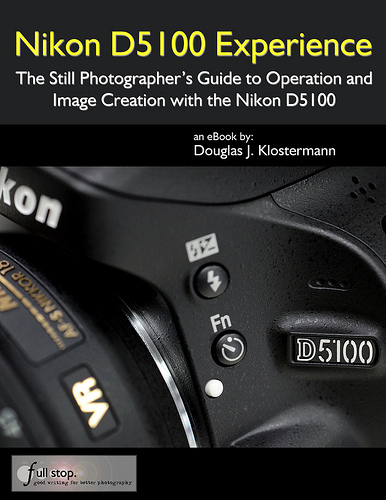
Nikon D5100 Experience e-book user’s guide Now Available!

Nikon D5100 User’s Guide

My latest eBook user’s guide, Nikon D5100 Experience – The Still Photographer’s Guide to Operation and Image Creation with the Nikon D5100, is available for purchase!  This guide will not only help you to learn the functions, controls, and custom settings of the D5100, but also when and why to use them.  As one reader has said of the Nikon Experience guides, “This book, together with the manual, is all you need to start discovering the camera’s full potential.”

Go beyond the Nikon D5100 manual and take control of your camera, the image taking process, and the photos you create.

Learn more about it, view a preview, and purchase it on my Full Stop ebook website:

http://www.dojoklo.com/Full_Stop/Nikon_D5100_Experience.htm

Nikon D5100 manual download book guide tutorial how to for dummies instruction Nikon D5100 Experience ebook

Celebrate “Read an E-Book Week”

To celebrate “Read an E-Book Week” (March 6-12) as well as the release of my newest eBook Canon T3i Experience, some of my previous e books are on sale, including Your World 60D for the Canon 60D and T2i Experience for the Canon T2i / 550D.

Just go to my Full Stop ebook bookstore, (www.dojoklo.com/Full_Stop/) where you can learn all about the eBooks.

Canon EOS 60D book user guide Canon Rebel T2i / EOS 550D book user guide

Also available, the brand new Canon T3i Experience as well as Nikon D7000 Experience.

Canon T3i book Canon 600D book Canon T3i Experience by Douglas Klostermann Nikon D7000 book Nikon D7000 Experience ebook

Learn how to set up and customize the menus, settings, and functions of your Canon T3i / 600D, Nikon D7000, Canon 60D, or Canon T2i / 550D.  Then start to learn to use your powerful dSLR to its full potential so that you can improve your photography and consistently take better photos!  Download your ebook instantly and start learning right away.

Holiday Gift Ideas for Yourself or your Favorite Photographer

I suppose I should join the photo blogger holiday tradition of putting together a holiday and Christmas gift guide for photographers or those who are shopping for the photographer in their life! If you plan to purchase any of these items through Amazon.com, I you can use the product links I set up throughout this post, which will bring you right to that product’s page on Amazon. (Amazon will then reward me with a small referral reward for my effort, which will help support my blog. Thanks! If you are in the UK or wish to purchase from B+H, see the end of this post for link information.) And now on to the shopping:

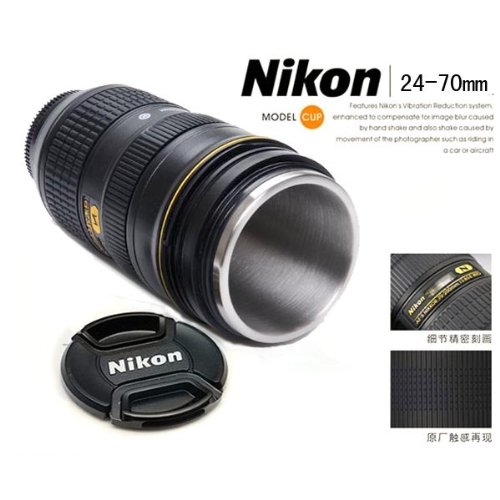
The first thing you are going to need is the Canon 24-105mm f/4 lens Mug or Nikon 24-70mm f/2.8 lens Mug to drink your hot cocoa or hazelnut coffee as you are unwrapping the rest of your gifts. These extremely popular and awesomely realistic mugs, complete with rubber ring grips, have a wide f/4 or f/2.8 opening which enables them to take in copious amounts of liquid just as your lens takes in all that light. The lens caps protects your beverage when not in use – no UV filter needed.
Canon lens mug 24-105mm f/4 Nikon Lens 24-70mm f/2.8 mug

The best gift of the season for most photographers would most likely be a brand new digital dSLR camera to upgrade what they are currently shooting with – one with a few more megapixes, improved autofocus system, faster continuous shooting speeds, and some new bells and whistles.

For many photographers this will be the new Canon EOS 60D body only or the Canon 60D with 18-135mm kit lens. The EOS 60D has continued Canon’s tradition of ease of use, great ergonomics and controls, fantastic image quality and low light performance, plus added a swiveling real LCD screen. And full HD video with more frame rate options than the competitors.
canon eos 60d
For Nikon shooters the best choice is the brand new, highly sought-after Nikon D7000. The Nikon D7000 body only or D7000 with 18-105mm lens cost a bit more than the 60D, but they provide the additional features to justify the higher cost: faster continuous shooting rate, partial magnesium body, more advanced and customizable autofocus system, and two SD memory card slots to save all those shots and HD movies. Either one makes a excellent camera that is capable of producing high quality images.
Nikon D7000
Of course you are going to want some new lenses to go with these cameras. Why not step up to the professional quality lenses to see that immediate improvement in image quality, color, contrast, as well as lens and autofocus performance? For Canon this means the L series of lenses. Expand your focal range or fill in some gaps with a high quality wide angle zoom, standard zoom, or telephoto zoom.

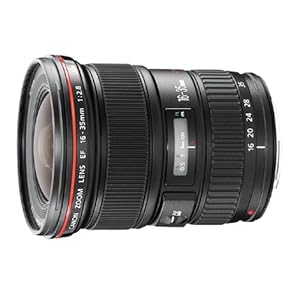
For wide angle zooms, look at either the Canon EF 16-35mm f/2.8L II USM or the EF 17-40mm f/4L USM

For standard zooms, which make for a great “walk-around” lens, consider the Canon EF 24-70 f/2.8L USM or EF 24-105 f/4L IS USM


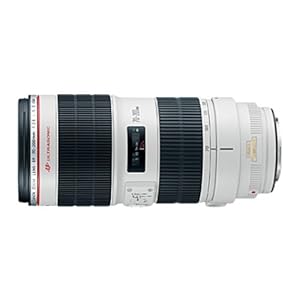
And in the telephoto zoom range, look at the EF 70-200, f/2.8L II IS USM or the much less expensive and lighter EF 70-200, f/4L IS USM

One of these lenses in each pair will be both more expensive AND heavier, so be sure and handle them first before you decide on one.

This may also be a good time to start experimenting with prime lenses. Their extra wide maximum apertures will allow you to use them in much lower light, and will create great, smooth background blurring for awesome portraits. Depending on how closely you like to work to your subject, a few to consider are the Canon 35mm f/2, Canon 50mm f/1.8 II for about $100, Canon 50mm f/1.4 (a little more costly 50mm), or the Canon 85mm f/1.8.

An extremely fun lens to work with is the Canon EF 100mm f.2.8 Macro USM. It is incredibly sharp, has dramatically narrow depth of field at f/2.8, and works as a great portrait lens too. If you have never used a macro, go try one out and experience what makes them so cool. The 60D and D7000 images just above were taken with this lens, as well as the cool close up shots of the following post comparing the Nikon D7000 vs D90 vs D300s.

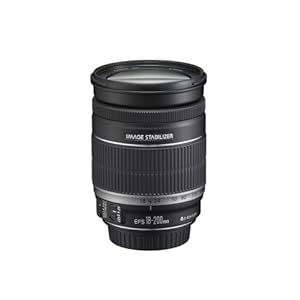
If you need just one versatile lens for everyday use or for travel, the three lenses to consider are the EF 24-105 f/4L IS USM in the L series lenses, or else the EF-S 18-135mm f/3.5-5.6 IS or EF-S 18-200mm f/3.5-5.6 IS.

Of course with any of these lenses, be sure to protect them with a clear or UV filter, preferably a high quality, coated B+W brand UV filter. You can read a lot more about these lenses and how to choose between them in my earlier post, Best Lenses for Everyday and Travel Photography.

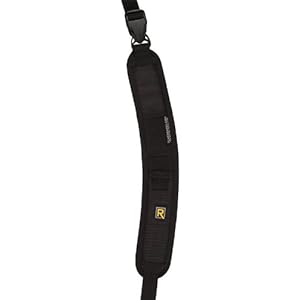
Possibly the most comfortable way to carry your camera around all day, especially when using a larger, heavier lens, is the BlackRapid RS-7 Camera Strap. I highly recommended this strap, and I use the older RS-4 version daily. They have made some steady, welcomed improvements on them, including the curved shoulder pad of the RS-7, the quick release strap, and the improved connecting hardware. The base that screws into your camera is a lower profile, stronger single piece, and the securing screw surface on the clasp ring is smooth rather than knurled so that it will no longer scratch up your camera bottom. The strap is comfortable, easy to use, quick, strong, and rugged. I often use it in conjunction with wearing a backpack, and although the straps fight for space against each other on my shoulder, it still works fine. There is also now a version designed for women, the RS-W1 plus a new woman’s version in just black. They are also introducing 2 different pieces of hardware which will allow you to attach your camera to a tripod without removing the R-Strap’s base that is already attached to your camera.

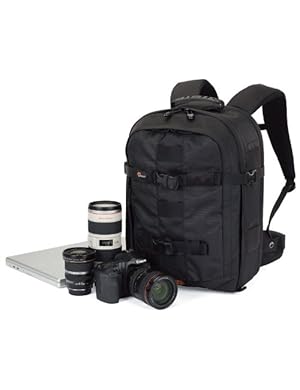
You are going to need something to carry all this equipment around in. My current favorite is the Lowepro Compu Trekker AW backpack, which is now called the Lowepro ProRunner 350 AW. I use this as both my airline carry-on and my working bag during the day. The size works perfectly for both needs. It easily fits the airline carry-on size, including smaller international requirements in some regions, yet fits more that it would first appear. With careful configuration of the interior dividers, I can fit 2 Canon bodies, three lenses, a 580EX II flash, its diffuser, 2 external hard drives in cases, a couple memory card cases, and some filters. In the outside pocket, I have a couple battery chargers, extra batteries, medium Rocket Blower, miscellaneous cords, caps, and accessories. In the rear pocket designed for a laptop, I easily fit a 32″ 5 in 1 reflector. The pack is extremely comfortable, has tons of padding on the straps and the back so that its weight never bothers me and I don’t feel the reflector in my back. I often wear it for hours a day while working, and it is never a problem. The Pro Runner 450 AW might be a better carry on size so that you could carry more gear on the plane with you (if it fits the airline’s requirements) but it would be too big for daily use. There are also rolling versions of these, with an “x” in the name, thought the retractable handles and wheels add weight and size to the bags.


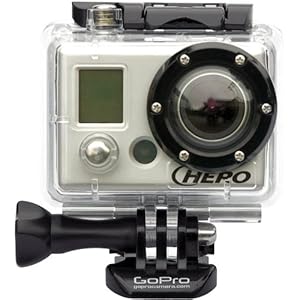
For adventure videographers, the item of the year is the GoPro HD HERO Cam, which you attach to your helmet, head, mountain bike, snowboard, skateboard, motorcycle, or whatever to shoot professional quality, point of view video. It comes in a variety of packages with different mounts. Film and share your adventures in full HD video! Click the image to see it on Amazon or click here to learn more and but direct at the GoPro website.


And to save all those images you are taking, memory cards will make great stocking stuffers. I like Sandisk Extreme 16 GB SD cards. If you still use CF cards, be sure to get the SanDisk Extreme 16GB CF cards. Use a Sandisk card reader to upload the images to your computer, rather than from the camera directly, in order to save the camera batteries. This Sandisk Card Reader is for the CF cards, and the 5 in 1 reads SD cards.

And for some basic stocking stuffers, here are a few simple but essential items for keeping your camera and lenses clean:

Giottos Medium Rocket Blower in the medium or large size. Always have it handy for getting dust off lenses in a hurry, because blowing on them – no matter how careful – leads to spittle on the lenses 5% of the time when it doesn’t matter and 95% of the time when you are in the most critical situations.

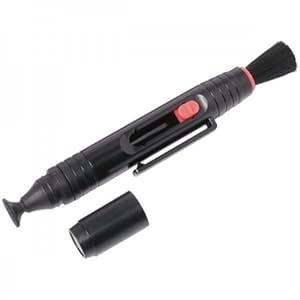
Pearstone LP-1 Lens Pen – Works great for cleaning off mysterious spots, smudges, and fingerprints that always appear on the lens (this is why I always use UV filters) as well as that a-fore-mentioned spittle. There is a retractable brush on one end and a cleaning head on the other end. Twist the cap to load the cleaning tip with the carbon based cleaning material, then remove the cap and use. Please read the instructions and visit the LensPen website to fully learn how to use it properly.

For more photography equipment and accessories like those above, be sure to see this previous post Equipment for Travel (and Everyday) Photography.

To edit and save all your photos, you are going to need some hard drive space and some software:

External Hard Drives – The Iomega Ego 1TB and a Lacie Rugged USB 1TB work great both at home and when traveling. There is a FireWire version of the Lacie Rugged 500GB also. Both are built solid and sturdy, and each fit perfectly in the Case Logic Portable Hard Drive Case made for these types of drives. Get the cases in different colors so you can quickly differentiate your different drives. For storage at home, consider a couple Western Digital My Book 1TB External Hard Drives.

Post-Production – After taking all these wonderful images with your new equipment, you are going to need to organize, edit, and work on all your photos. And for that, of course you are going to needAdobe Photoshop and/ or Adobe Lightroom 3. You can start off with the trial versions that you can download from the Adobe site, but sooner or later you are going to have to get the real versions. Use that student discount if you can!

Also be sure to consider all the great photo books to help you learn to use your equipment, improve you images and compositions, and be inspired. I’ve put together a post of several of my favorites that you can read here. The most recent addition to the bookshelf is:

The Photographer’s Mind: How to See and Shoot Better Digital Photos by Michael Freeman
Every time I read Freeman’s The Photographer’s Eye, I lament, usually aloud, “why doesn’t he have more books like this?” Well, my wishes appear to have been answered. His next book The Photographer’s Mind has just come out.

And don’t forget the eBooks I put together for setting up and learning to use you Canon dSLR:

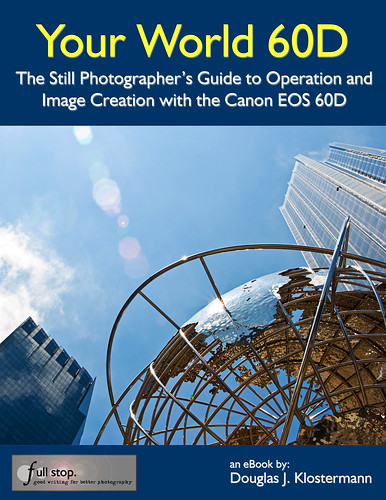
Your World 60D – The Still Photographer’s Guide to Operation and Image Creation with the Canon 60D – an eBook user’s guide and tutorial I wrote to help get you up and running with the 60D, quickly and competently. You can learn more about it at this post here. In addition to the PDF version, which also looks great on the iPad, it is also available in a Kindle edition on Amazon.com here and a Nook verion on BarnesandNoble.com Plus, for the Rebel T2i / EOS 550D, I have written T2i Experience – a similar guide for Canon T2i / 550D users.

Purchasing: If you plan to purchase cameras, photo equipment, books, or anything else from Amazon.com I encourage you to do so through any of the Amazon referral links I’ve set up. Just click on the equipment name or book title within this post and you will be taken to that Amazon page. Or click here to go directly to Amazon or click on the Amazon.com logo below, and start shopping. Thanks, I appreciate your support!

If you are in the UK, you can click here for the UK Amazon referral link.

For those interested in purchasing through B&H Photo, Adorama, or directly from Canon, I have set up affiliate links with them as well – find them on the left side of this page.

Happy Holidays, and I hope you get everything on your list!

Essential Digital Photography Books

There are countless books available about digital photography, ranging from general over-encompassing guides to specific texts on lighting or composition. Many of them discuss basically the same topics, and after reading and absorbing a few, you begin to pick up only a few new tips or pieces of knowledge here and there.

But I’ve put together a list of what I think are the best books for digital photography out there. These are the ones I believe you should read first, the ones that will give you the maximum bang for the buck, and which are consistently full of solid, useful information. They are divided into categories of Camera Guides for specific cameras, Digital Photography Guides for general information and composition, Lighting and Flash, and Post-Production for Photoshop and Lightroom.

You can click on each title to take you directly to Amazon.com. If you purchase through these links Amazon will reward me with a small referral fee, so I appreciate you helping to support my photography work and my effort of creating all these links!

Sections:

Digital Photography Guides
Camera Guides
Lighting and Flash
Post Production


Digital Photography Guides

Understanding Exposure by Bryan Peterson
I recommend this book throughout my blog for anyone who is new to digital SLR photography or ready to take their camera off Auto or Program and needs to learn and understand the relationship between aperture, shutter speed, and ISO. It is the go-to book to help you learn these essential settings, take control of your dSLR and image making process, and start to use aperture priority and shutter priority modes.

Learning to See Creatively by Bryan Peterson
By the same author as above. Once you have control of your camera after reading Understanding Exposure, you will quickly discover you need to learn how to make better compositions in order to take better photos. This book can help start you on this process. His best piece of advice is to think about and use different, more dynamic points of view in your photos. Taking a photo of a flower? What would the image look like from the flower’s point of view? Simple but brilliant.

The Photographer’s Eye: Composition and Design for Better Digital Photos by Michael Freeman
As I just said above, once you get control of your camera and its settings after reading some of the other camera and photo guides, you may wonder why your photos aren’t improving as quickly as you had hoped. That is when you need to turn to this book. It is a unique book for teaching photographic composition – which is an often difficult concept to teach beyond the basics. Most books explain concepts such as the rule of thirds or depth of field, but this book takes it to a whole new level. And he walks the reader through the example images describing the process and decisions he makes as he works a scene (which must be what inspired my Deconstructing the Shot series of posts!) It is a challenging book, and it takes some experience with working at photography and applying the basic composition techniques and experiencing specific problems and frustrations before one can get the most out of this book. So if it is too heavy for you at first reading, come back to it after you have worked at it some more. This is perhaps my favorite photography book, and I wish there were more out there that were as helpful as this one. I re-read it every few months to set these concepts into my brain.

The Photographer’s Mind: How to See and Shoot Better Digital Photos by Michael Freeman
Every time I read Freeman’s The Photographer’s Eye, I lament, usually aloud, “why doesn’t he have more books like this?” Then I did some more research and discovered an older book of his, Achieving Photographic Style, from 1984. It blew me away – it is just as good as Photographer’s Eye, but a bit dated in many ways, as it discusses the photographic trends of that period and it is pre-digital. Again, I lamented, “why can’t he update this book for today?” Well, my pleas appear to have been answered. His next book The Photographer’s Mind has just come out. I haven’t seen it yet, but I immediately ordered my copy from Amazon.

Pro Photographer’s D-SLR Handbook by Michael Freeman
This is a comprehensive handbook for everything about digital photography from equipment, lighting and accessories, to technical explanations of settings and concepts, to post-production including Photoshop and printing. It covers a lot of topics, but gives good, solid information. Like its title says, it is a handbook that is extremely handy to have as a reference guide for everything related to digital SLR photography. Essential for any serious intermediate dSLR photographer, whether you desire to be a pro or just have the knowledge of one.

The Digital Photography Book (Volume 1) by Scott Kelby
Scott Kelby’s series of books are good for the beginning or intermediate dSLR photographer. Some claim that everything they know about digital photography they learned from Scott Kelby. Other reviewers on Amazon don’t think he’s so great. Never-the-less, he doesn’t get caught up in technical explanations, but rather just tells you what settings and equipment to use and how to do something. The page-by-page brief topics each give starting points for anyone confused about the variety of subjects they may be trying to absorb from all the other books. For example, every Photoshop book explains Unsharpen Mask, but then leaves you totally clueless as to where to even start with the three sliders. Kelby simply tells you what numbers to use. (Actually that may have been from one of his Photoshop books, but that is the type of info he provides.) Keep in mind, all of his advice is intended as starting points. His word is not gospel, it is to help you begin and then you can experiment and learn from your own experience after that. These are not books to teach you the basics of digital photography, but are rather a collection of various, almost random tips about a wide variety of photo topics. Keep in mind, his instructions are not the only way to do something, and sometimes they are actually very round-about ways of doing things that can be done much more simply. His humor is annoying to some and the equipment he uses may be totally unnecessary for how you work, so take what you read with a grain of salt. As a studio photographer, Kelby is especially knowledgeable about flash and lighting. There are three books in this series, which can also be bought as a set, as seen below.

The Digital Photography Book, Volume 2 by Scott Kelby
See above description of The Digital Photography Book.

The Digital Photography Book, Volume 3 by Scott Kelby
See above description of The Digital Photography Book.

Scott Kelby’s Digital Photography Boxed Set, Volumes 1, 2, and 3 by Scott Kelby
See above description of The Digital Photography Book.

National Geographic Photography Field Guide: Secrets to Making Great Pictures, Second Edition by Peter Burian and Bob Caputo
This is a great general guide to photography, with insightful and useful nuggets of information from some of the best Nat Geo pros, like Sam Abell and Michael Nichols. However, it is a bit dated, from the films days at the verge of digital. But I feel it is still worth reading because the essentials of image making remain unchanged. The updated version is below, but I have not yet seen it, and it may be all new with different content. Maybe see if your library has this one.

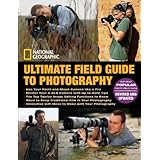
National Geographic Ultimate Field Guide to Photography: Revised and Expanded by National Geographic
I haven’t yet seen this updated version, but based on the previous edition as well as the Travel Photography version, it is bound to be good.

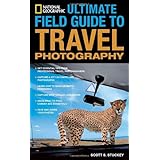
National Geographic Ultimate Field Guide to Travel Photography by Scott Stuckey
This is an excellent introduction to most everything you need to know to work as a travel photographer with helpful information for both beginner and more advanced photographers that isn’t found in most other travel photography books. And it contains valuable contributions from several professional travel photographers like Bob Krist and Catherine Karnow. However, its title is annoying because it is not in any way a field guide. It is not designed as a quick and easy reference to any of the topics it covers, as the term field guide would imply, but rather it is a book to read before your travels, and a book to read to learn the realities of working as a travel photographer. It is also a book about how to take travel photos in the visual and editorial style of Nat Geo Traveler magazine. I highly recommend this book for someone who is truly interested in becoming a commercial travel photographer, as it competently and thoroughly covers numerous aspects of this vocation – technical, logistical, and perhaps most importantly, learning how to tell a story through photographs. Or if you don’t wish to become a pro travel photographer but want to learn to capture better travel images, it will be most helpful for someone whose travel style truly accommodates the time and effort if takes to make great travel images.

Within the Frame: The Journey of Photographic Vision by David DuChemin

VisionMongers: Making a Life and Living in Photography by David DuChemin

Rick Sammon’s Complete Guide to Digital Photography 2.0: Taking, Making, Editing, Storing, Printing, and Sharing Better Digital Images by Rick Sammon

Rick Sammon’s Travel and Nature Photography by Rick Sammon


Camera Guides

First, of course, I have to mention my e-book user’s guides! So far I have written one for each of these cameras:

Nikon D7000 Experience
Nikon D5100 Experience
Canon T3i Experience
Your World 60D
Canon 7D Experience
Canon T2i Experience

full stop dslr photo photography camera manual guide for dummies canon nikon

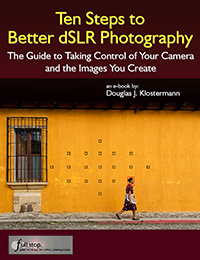
Plus a book for all other dSLR owners, Ten Steps to Better dSLR Photography

dslr learn improve autofocus exposure aperture shutter priority for dummies

You can learn more about them at my Full Stop ebook bookstore, (www.dojoklo.com/Full_Stop/). These guides go beyond the manuals to help you learn to use your powerful camera to its full potential so that you can improve your photography and consistently take better photos. The guides cover the settings, functions and controls of these advanced dSLR cameras, plus explain when and why to use them to improve your photography and your images. Aimed towards intermediate photographers, they also clearly explain basic dSLR camera functions and exposure concepts for those new to digital SLR photography. Take control of your camera and the images you create!
These guides are available in PDF versions as well as Kindle, Nook, and iBooks/ iTunes versions.


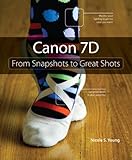
Canon 7D: From Snapshots to Great Shots by Nicole S. Young
This series of camera user’s guides explains everything in a way that is clear and easy to understand and put to use. They don’t get bogged down in confusing technical explanations, but instead present everything in a straightforward, user-friendly manner. The books explain not only how to use the camera, but how to use it to take better photos. Recommended for someone relatively new to digital SLR photography who wants to quickly learn to use their camera and improve their photography.

Nikon D5100: From Snapshots to Great Shots by Rob Sylvan
see above description for Canon 7D: From Snapshots to Great Shots.

There are also From Snapshots to Great Shots guides for every other camera out there including the Canon 60D, Canon G12, Nikon D7000, etc.

David Busch’s Canon EOS 7D Guide to Digital SLR Photography by David Busch
David Busch’s camera guides are all excellent books, and will help you really get to know and understand all the features and functions of you camera. They are clear and straightforward enough for the beginner, yet are also in-depth and technical for the intermediate and advanced dSLR user. Recommended as a more comprehensive and easy to understand manual than the one that comes with your camera.

David Busch’s Nikon D7000 Guide to Digital SLR Photography by David Busch
This is an all-encompassing bible for the D7000. If you wish to learn every single feature, setting, menu item, option, etc., this is the place to look. If you wish to learn all the essential features, how to use them in the real world, and be up and running with your D7000 quickly, start first with Nikon D7000 Experience before delving into this tome.

David Busch of course has guides for every other dSLR camera out there including the Canon 60D, Canon T3i / 600D, Canon 5D Mk II, and the Nikon D5100.

See all the David Busch Digital SLR Camera Guides.


Lighting and Flash

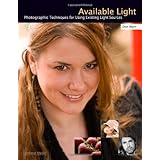
Available Light: Photographic Techniques for Using Existing Light Sources by Don Marr
This is a simple, straightforward book that immediately changed the way I see light and the way I photograph using natural light.  You often hear the idea of “taking your photography to the next level.”  This book doesn’t itself make that claim, yet it is one of the few photography books that can actually deliver that result.  It is short, easy to read and to understand, and immediately applicable to your work.  Many books discuss light – it’s direction, intensity, quality, softness, color – and you think, “Yeah! I’m keenly aware of different light and how it falls on my subject.”  But did that knowledge suddenly help you to take better photos?  Many books never fully take it the next step and really explain how to seek out, modify, and use this light.  You may or may not be able to then figure it all out on your own.  I thought I had until I read this book.

It actually guides you in exactly the right direction and truly helps to open your eyes to the intensity, direction, and quality of natural light, and then teaches you to work with it and modify it to create the softness/ hardness, direction, color, and intensity you want, whether you are working on an overcast day, at high noon, inside, outdoors, or any other type of situation.  It makes one suddenly aware of the existence and potential use of natural reflectors everywhere which will help give you the lighting you want:  a wall, the ground, a pole.  And it explains the important concept and effective practice of subtractive lighting, used to even-out or create the desired lighting instead of turning to flash to artificially add to existing lighting.  The concepts in this book are so obvious and intuitive I didn’t even write down a single note while reading it the first time.  Then the next week I used what I learned and took one of the nicest, best lit spontaneous portraits I have ever taken.

While many are happily joining the Strobist camp, this book offers a refreshing and viable alternative to that never-ending accumulation of lighting equipment and techniques, and should be read by off-camera-flash fans as well so they can learn to look for beautiful natural lighting alternatives that will give them as-good or even better images, before setting up their lighting equipment and knocking down the natural light in order to rebuild it artificially.  However the author is not against the (limited) use of flash, and certainly not against reflectors, and discusses their use in different situations.  I highly recommend this book to photographers of every level.  It is a wonderful book for beginners or intermediate photographers so that they can be aware of, understand, and use these concepts from the start, and it is just as helpful for advanced photographers who may intuitively practice some of the techniques, but will certainly become aware of even greater potential and opportunities in the use of available light.

As you can see, I’m pretty enthusiastic about this book. I even contacted the publisher and asked them for a copy that I could use as a free give-away here on my blog, and indeed they are sending me one! (The free give-away is now completed.)
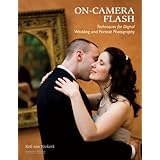
On-Camera Flash Techniques for Digital Wedding and Portrait Photography by Neil van Niekerk

The Complete Guide to Light & Lighting in Digital Photography by Michael Freeman


Post-Production

The Adobe Photoshop CS5 Book for Digital Photographers by Scott Kelby
Scott Kelby is the founder and head of NAPP, the Photoshop users’ organization, so I don’t have any qualifications with the Photoshop and Lightroom recommendations as I did with his photo books above.

The Adobe Photoshop Lightroom 3 Book for Digital Photographers by Scott Kelby

Adobe Photoshop CS4 How-Tos: 100 Essential Techniques by Chris Orwig

Adobe Photoshop Lightroom 2 How-Tos: 100 Essential Techniques by Chris Orwig

And of course in able to make use of the Photoshop and Lightroom books, you are going to need the software!
Adobe Photoshop and/ or Adobe Lightroom 3 are the latest versions. Photoshop CS4 has the amazing and revolutionary content aware fill, which takes cloning and spot healing to a whole new dimension. And Lightroom has quickly become the tool of choice for photographers to work on their images.

(Descriptions of some of the above books still to come!)

Canon 60D Tutorial

I have completed an eBook tutorial and user’s guide for the new Canon 60D, called Your World 60D – The Still Photographer’s Guide to Operation and Image Creation. Learn to use your 60D, quickly and competently, to create the types of images you want to capture. You can learn more about the Your World 60D eBook and how to purchase it here.

(The eBook was originally, briefly called Real World 60D – it is the same book.)